
Kimi-K2.6 CPU / GPU placement and code generation
Kimi-K2.6 IQ3_K and Q4_X in ik_llama.cpp: expert placement, local LLM throughput, and generated Django business application modules.

Kimi-K2.6 is Moonshot AI’s 1T-class DeepSeek2-style MoE, activating 8 of 384 experts. I tested a CPU / GPU split for use as a local coding worker.
I tested IQ3_K and Q4_X from ubergarm/Kimi-K2.6-GGUF on EPYC 9175F and two RTX PRO 6000 Blackwell Max-Q 96GB GPUs. ik_llama.cpp provides MLA and expert placement, but not vision in this setup. I rebuilt mainline llama.cpp with --no-cache; its tool-call parser failed, so vision testing remains for a later retry.
Video link: https://www.youtube.com/watch?v=skTE19_JRYg
The video records the final demo after trying several placements on dual Blackwell Max-Q 96GB, EPYC 9175F, and 768GB DDR5-6400. I selected ubergarm’s IQ3_K (3.85 bpw, 460 GiB), placing 4 to 10 head / tail expert layers on GPU and the rest in CPU pinned memory.
- TG was
17.9to21 t/s, and PP cold was223to377 t/s, depending on-uband-ot. - Continuous
14,707-token generation held19.57 t/s. The model did not call custom MCP tools often, but it created issues, milestones, and PRs on local Gitea. I would like more TG and tool use like Opus 4.6. Withctk/ctv f16at 256k, I recall VRAM staying below roughly 150 GB. IQ3_Kran at17.9to20.9 t/s;Q4_Xat16.6to19.0 t/s. With the sameAGENTS.md, behavior looked similar, so I chose IQ3_K.real_estate_salesproduced 15 models and 772 lines of Django v6 code.- The license is Modified MIT. The original note describes commercial limits of about
$20Mmonthly revenue or100MMAU.
Validation Environment
| Item | Configuration |
|---|---|
| CPU | AMD EPYC 9175F (16C/32T, L3 512MB, Zen 5) |
| RAM | 768 GB DDR5-6400 ECC RDIMM |
| GPU | NVIDIA RTX PRO 6000 Blackwell Max-Q 96GB x2 |
| OS | Ubuntu 24.04 LTS (minimal) |
| Runtime | ik_llama.cpp |
The model-side assumptions are:
| Item | Value |
|---|---|
| Model | Kimi-K2.6 |
| Architecture | DeepSeek2-style MoE + MLA |
| Total parameters | 1T class |
| Experts / Active | 384 / 8 |
| Main quants tested | IQ3_K (3.85 bpw), Q4_X (4.55 bpw) |
Why ik_llama.cpp Instead of Mainline llama.cpp
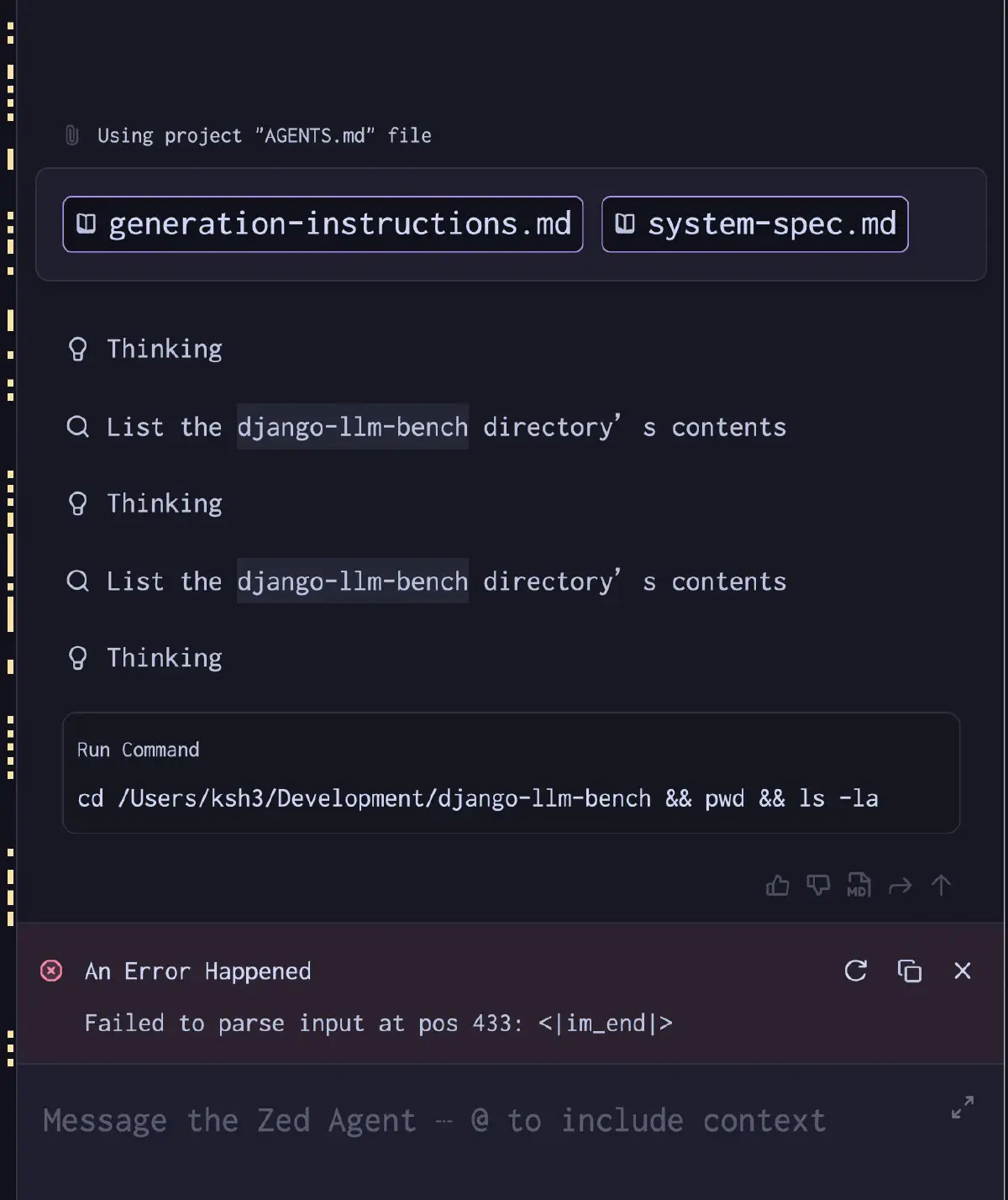
Kimi-K2.6 needs MLA (Multi-head Latent Attention) support. Mainline llama.cpp used standard KV without an absorbed -mla 3 mode. On 2026-04-22, its peg-native parser failed on <|tool_call_begin|> with Failed to parse input at pos 433: <|im_end|>. A --no-cache rebuild did not fix it. I suspect the template and plan a later retry.
Failed to parse input at pos 433: <|im_end|>
Expert Tensor Placement Determines TG
All-CPU experts limited decode speed. I returned selected head / tail expert layers to GPU with -ot, leaving the middle on CPU.
Benchmark Results
| Config | Expert on GPU | TG avg (t/s) | PP cold (t/s) | VRAM/GPU |
|---|---|---|---|---|
Baseline (--cpu-moe) | 0 layers | 18.9 | 185 | ~11 GiB |
| 6-layer head/tail split | 6 layers (3+3) | 20.9 | 223 | ~52/60 GiB |
| 10-layer head-heavy | 10 layers (8+2) | 20.3 | 377 | ~43/44 GiB |
The balanced 6-layer split had the best TG. The 10-layer head-heavy layout with -ub 4096 improved PP but slightly reduced decode.
The -ot Layout I Kept in the End
  -ot "blk\.(1|2)\.ffn.*=CUDA0" \
-ot "blk\.(59|60)\.ffn.*=CUDA1" \
-ot "exps=CPU"
CUDA0 holds blk.1-blk.2; CUDA1 holds blk.59-blk.60. The other 56 expert layers stay in CPU pinned memory. Usage was in the mid-30s to high-30s GiB range per GPU, with 17-19 t/s decode. I kept this layout to leave GPU headroom.
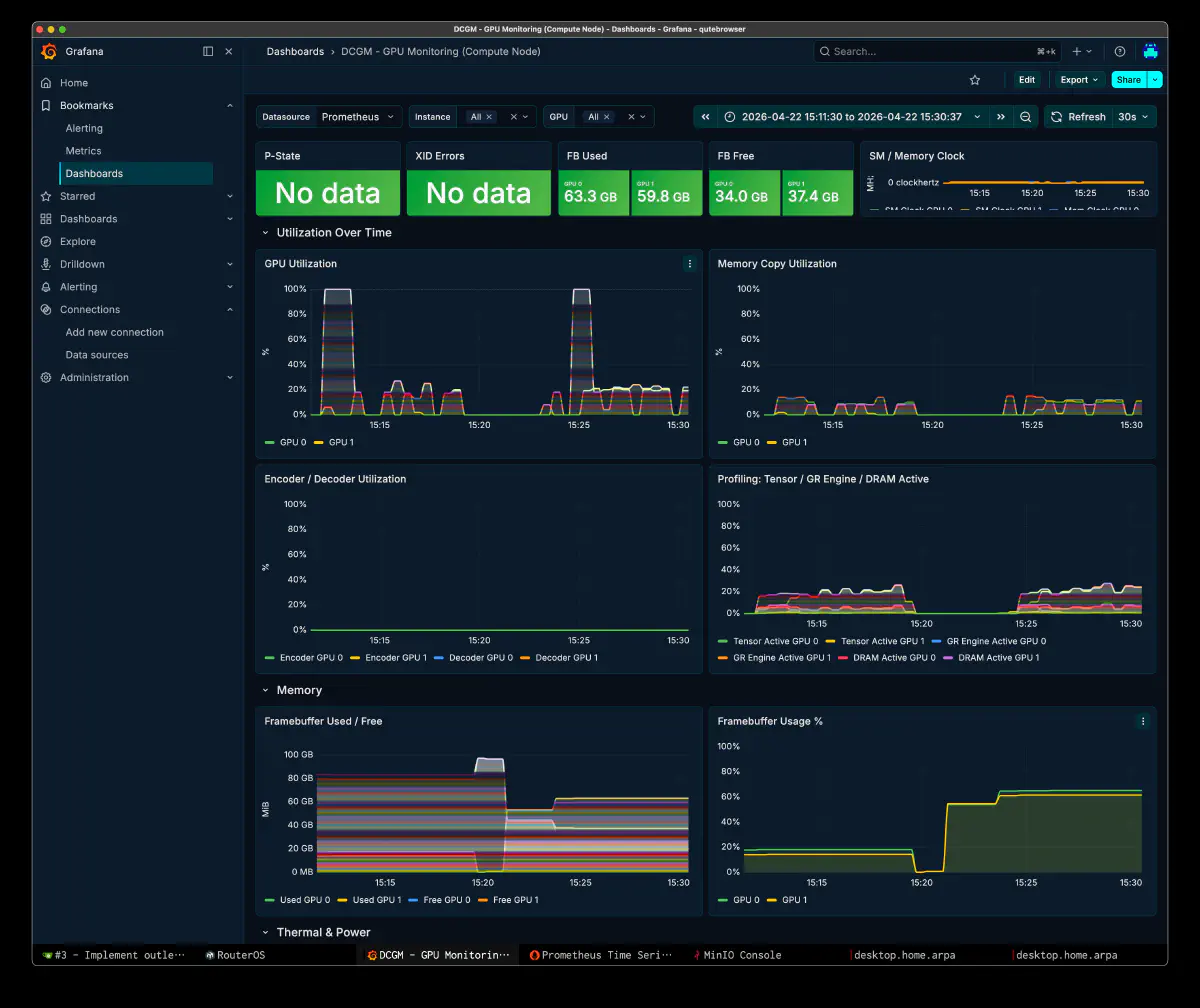
IQ3_K and Q4_X Are Good at Different Things
The quantization comparison:
| Quant | BPW | Model Size | TG avg (t/s) | PP cold (t/s) | CUDA_Host |
|---|---|---|---|---|---|
| IQ3_K | 3.85 | 460 GiB | 20.9 | 223 | 368 GiB |
| Q4_X | 4.55 | 544 GiB | 18.6 | 567 | 455 GiB |
Q4_X had faster PP but slower TG. I attribute that to heavier expert-transfer costs. I preferred sustained decode for long coding tasks, and IQ3_K also saved 87 GiB RAM.
Choosing -mla
The -mla setting changes the speed profile.
| Flag | KV cache mode | VRAM usage | Speed |
|---|---|---|---|
-mla 0 | Standard KV | Highest | Slowest |
-mla 1 | Compressed latent KV | Lowest | Slow |
-mla 3 | Absorbed MLA | Highest | Fastest |
At 132k context, KV used about 8.9 GiB. -mla 1 can reduce VRAM, but I chose -mla 3 for TG on the 96GB x2 setup.
Quality on Real Coding Tasks
For a business application development example, I generated Django tenant modules from Zed using IQ3_K, non-thinking mode, and 4- to 10-layer -ot layouts.
massage_salon Module
In about 15 minutes, the model created a Gitea issue, adjusted my own semantic-diff context tool .ctree.toml, scaffolded Django v6, and generated models, admin, and apps in one pass. That run produced 15 models and 839 lines of final code.
restaurant Module
The 10-layer head-heavy run modeled procurement, profitability, workforce, sales, and master data separately. It used RestaurantSettings, TextChoices, UniqueConstraint, and MinValueValidator appropriately.
real_estate_sales Module
With a 3+3 split, it generated 14,707 tokens in a single request over about 12.5 minutes, holding TG at 19.57 t/s. The output was 15 model classes and 772 lines covering property, appraisal, brokerage agreements, viewings, purchase applications, loan screening, sale contracts, and settlement as one connected flow.
The model used my unpublished ctree MCP configuration from the system prompt and changed scope during generation. Models above 500B have felt more capable to me, but that is an impression from use.
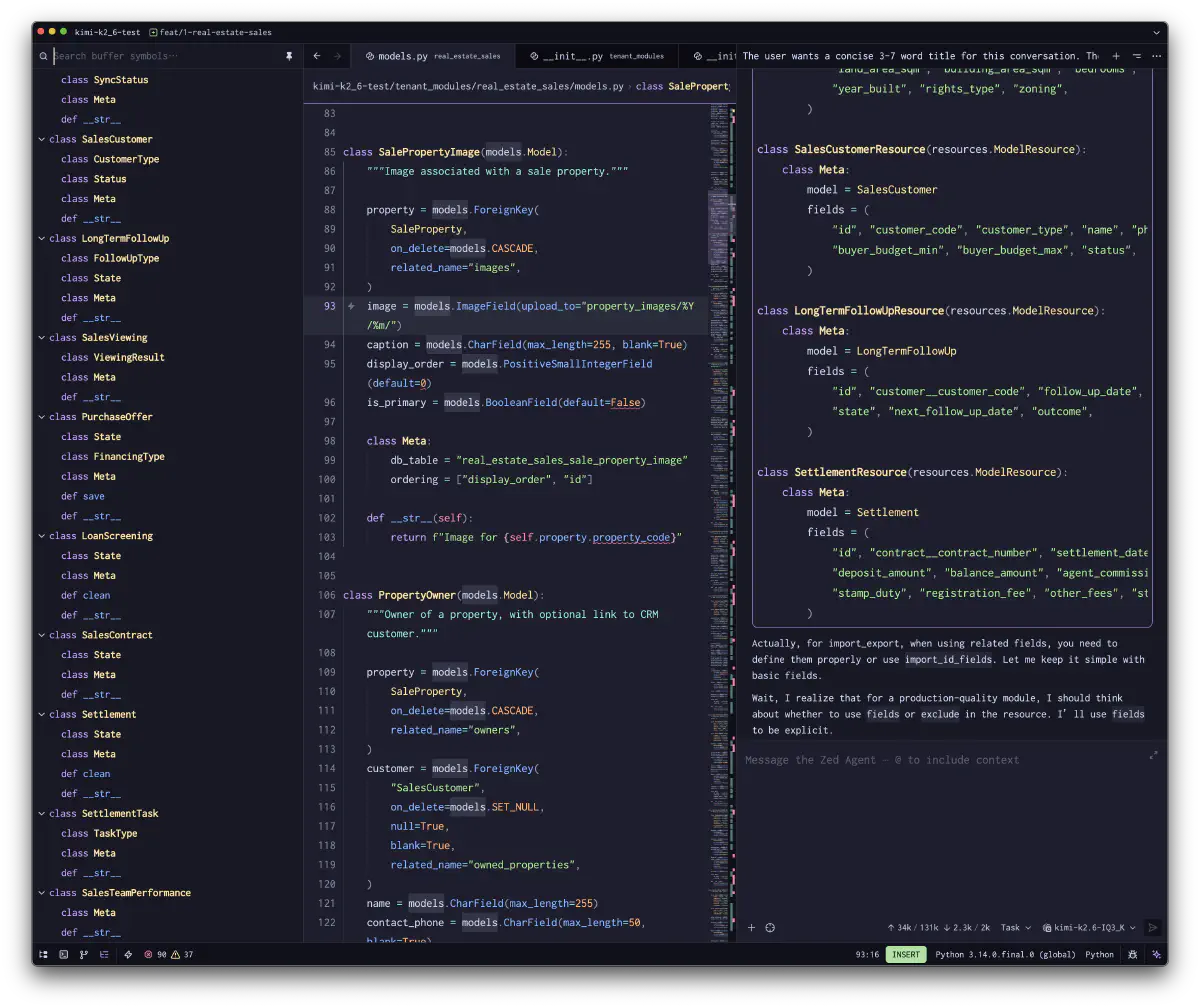
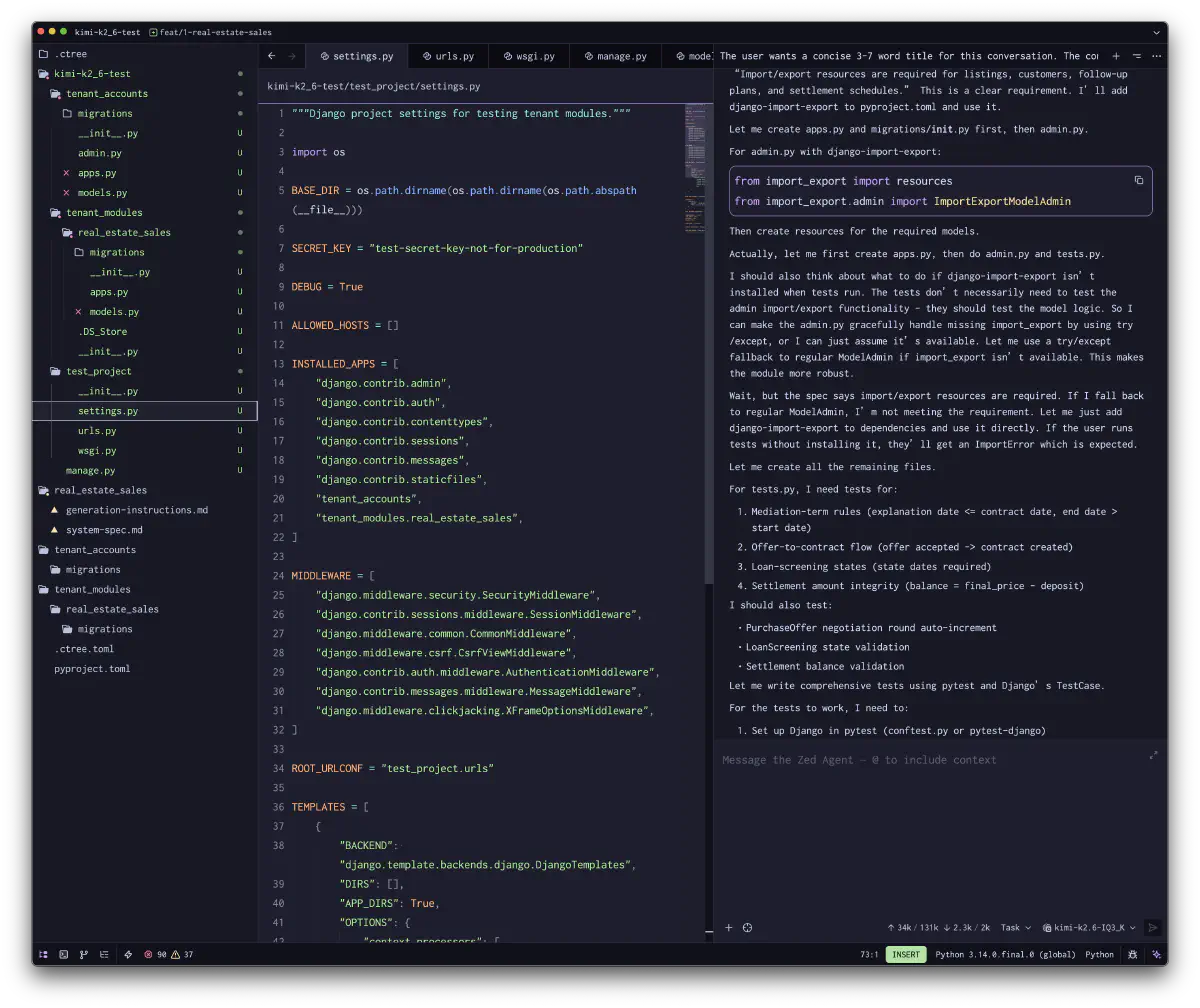
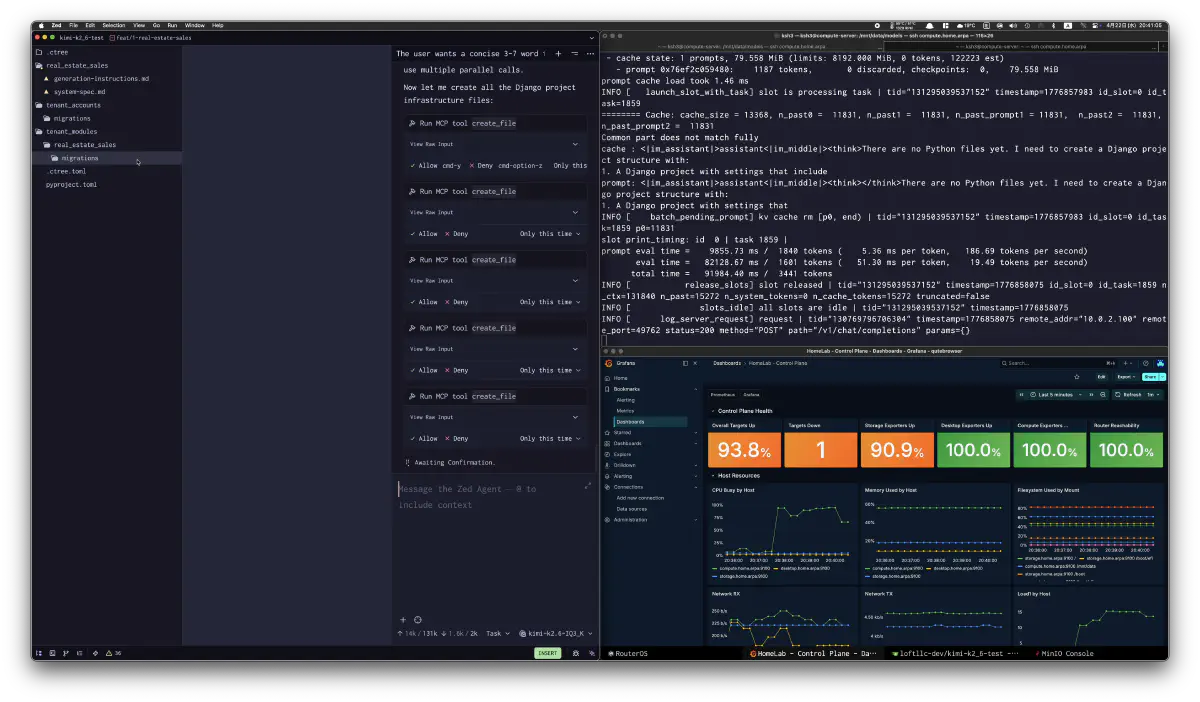
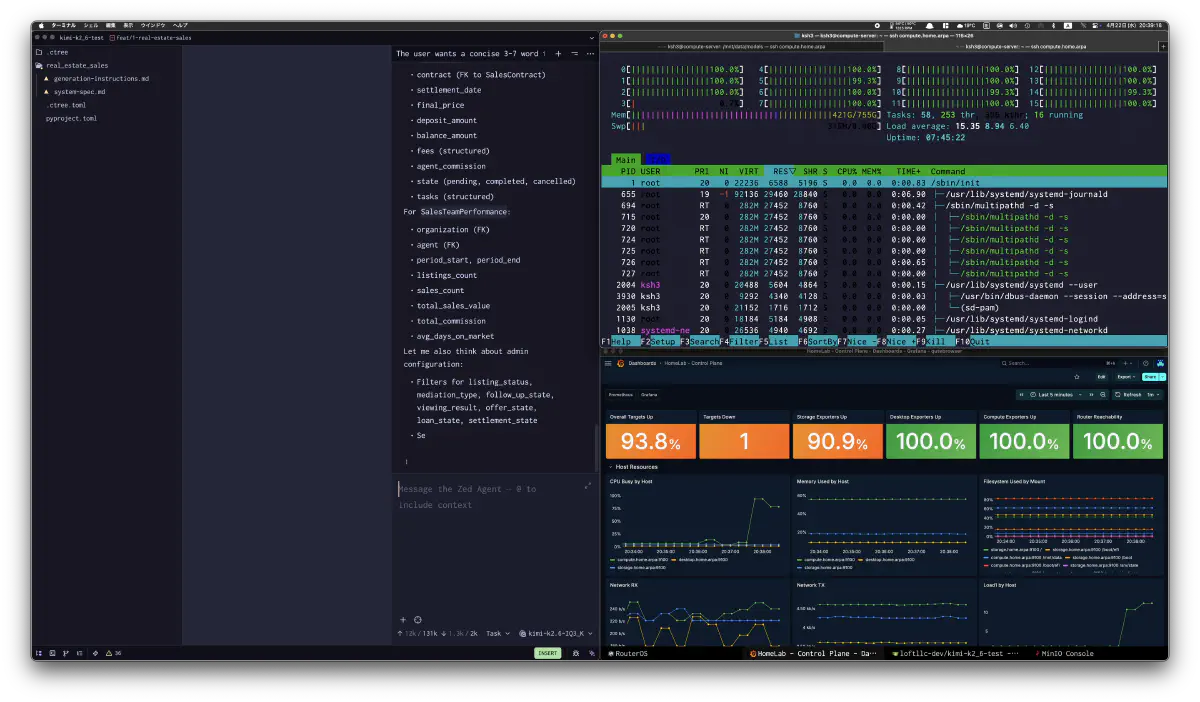
It remained stable through multi-file generation, test-plan enumeration, and MCP calls in these longer tasks.
ik_llama.cpp vs Mainline llama.cpp
The same-hardware comparison:
| Engine | Quant | TG (t/s) | PP cold (t/s) | Tool call |
|---|---|---|---|---|
ik_llama.cpp | IQ3_K | 20.9 | 223 | OK |
ik_llama.cpp | Q4_X | 18.6 | 567 | OK |
llama.cpp (mainline) | Q4_X | 15.4 | 188 | Crash |
Mainline failed on tool calls in my setup. I plan to retry it for vision, but will keep ik_llama.cpp for coding without images.
Reference: A Single-GPU Benchmark Seen in the HF Community
In ubergarm/Kimi-K2.6-GGUF discussion #3 on Hugging Face, I also saw a Q4_X benchmark on a single RTX PRO 6000 + EPYC 9355 + DDR5-6400 using aiperf. The average for a 16-turn conversation simulation looked like this:
| Engine | TG avg (t/s) | TTFT avg (ms) | Request latency avg (ms) |
|---|---|---|---|
ik_llama.cpp | 18.85 | 8,563 | 22,480 |
llama.cpp (mainline) | 16.03 | 12,526 | 28,872 |
That post also favored ik_llama.cpp across the metrics. It reported that -muge can hurt Kimi-K2.6, so I used the fork’s settings as a reference.
The Launch Command I Ended Up Keeping
  podman run --rm \
  --device nvidia.com/gpu=all \
  -p 8000:8000 \
  --cap-add=SYS_NICE \
  -v /mnt/data/models/models--ubergarm--Kimi-K2.6-GGUF:/models:ro,Z \
  registry.home.arpa/ik_llama.cpp:latest \
  -m /models/snapshots/${REF}/IQ3_K/Kimi-K2.6-IQ3_K-00001-of-00012.gguf \
  --ctx-size 131768 \
  --parallel 1 \
  --threads 15 \
  --threads-batch 32 \
  -b 8192 \
  -ub 4096 \
  -ngl 999 \
  -mla 3 \
  -ger \
  --special \
  -amb 512 \
  --jinja \
  --host 0.0.0.0 \
  --port 8000 \
  --warmup-batch \
  --alias kimi-k2.6-IQ3_K \
  -ot "blk\.(1|2)\.ffn.*=CUDA0" \
  -ot "blk\.(59|60)\.ffn.*=CUDA1" \
  -ot "exps=CPU" \
  --temp 0.6 \
  --chat-template-kwargs '{"thinking":false}'
The command exposes an OpenAI-compatible API for Zed and my agents.
Planned use
| Item | Value |
|---|---|
| Model | Kimi-K2.6 (1T MoE, 384×8 active) |
| Quant | IQ3_K is the practical first choice |
| Engine | ik_llama.cpp |
| TG | 20.9 t/s (best 6-layer head/tail split) |
| PP cold | 223-377 t/s depending on -ub and placement |
| Real tasks | Long-form Django tenant-module generation works |
| Intended use | Orchestrator model |
| License | Modified MIT ($20M / 100M MAU trigger) |
MLA and -ot tuning made the local TG tolerable for my work. I plan to use this setup alongside Claude while building data pipelines.