
AST analysis and MCP integration in ctree
Rust-based ctree summarizes code structure and changes with hashes for LLM-assisted development. The design defines strong/weak analysis scopes and the roles of pathfinder and Serena.

Information from ctree
I built ctree, a Rust AST analyzer that summarizes code structure for local LLMs before reading selected symbols in detail.
It targets the languages I use and tracks implementation and dependency changes in hash-based snapshots. Analysis detail is configurable per file.
ctree summaries identify targets; Serena’s find_symbol reads their definitions. pathfinder resolves file paths.
This reduces supplied context in development-assistance LLM integration.
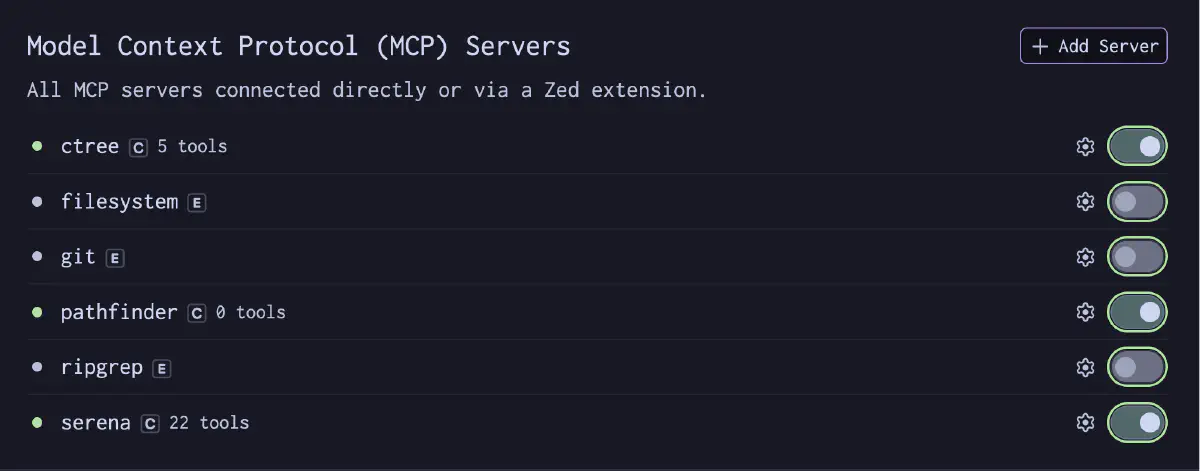
Structure before Serena definitions
Reading all symbols through Serena grows context. A structural summary lets the agent choose definitions before loading them.
ctree provides that preceding summary.
| Layer | Tool | Role |
|---|---|---|
| File operation accuracy | pathfinder | Recovers from path resolution failures, prevents context bloat |
| Shallow codebase overview | ctree | Provides implementation and dependency changes compactly via hash-based snapshots |
| Precise symbol analysis | Serena | Retrieves specific symbol definitions and references via find_symbol |
pathfinder handles paths, ctree structure, and Serena definitions. They are independent MCP tools.
CLI
  $ ctree --help
Generate annotated tree + symbols + compact ctx

Usage: ctree [OPTIONS] [COMMAND]

Commands:
  init
  reset
  check
  clean
  help   Print this message or the help of the given subcommand(s)

Options:
      --mcp                    Run as MCP stdio server
      --config <CONFIG>        Config file path (default: .ctree.toml if exists)
      --root <ROOT>            Scan root path [default: .]
      --syntax <SYNTAX>        [possible values: go, rust, python, typescript,
                                csharp, dart, lua, awk, shell, kotlin, swift,
                                markdown, html]
      --include <INCLUDE>      Include globs
      --exclude <EXCLUDE>      Exclude globs [default: **/tmp/**,**/testdata/**,
                                **/.git/**,**/vendor/**]
      --strong <STRONG>        Strong scope globs
      --weak <WEAK>            Weak scope globs
      --sw <SW>                Max annotation words per strong file line [default: 12]
      --ww <WW>                Max annotation words per weak/symbol-only file line [default: 3]
      --reasoning <REASONING>  Reasoning level [possible values: high, medium, low]
      --template <TEMPLATE>    Output template [possible values: plain, hugo, jinja]
  -h, --help                   Print help
AST analysis scope
Supported Languages
I implemented tree-sitter based AST parsers for the languages I regularly use.
Go, Rust, Python, TypeScript/JavaScript, Dart, Kotlin, Lua, Shell, Awk, C#, Swift, Markdown, HTML
The same framework covers application code, shell scripts and documents.
strong / weak Scope
Rather than analyzing the entire codebase uniformly, files are separated into strong (detailed) and weak (abbreviated) scopes.
  [ctree]
watch = "rust"
root = "."
include = ["src/**/*.rs", "tests/**/*.rs"]
exclude = ["**/tmp/**", "**/testdata/**", "**/.git/**", "**/vendor/**", "**/target/**"]
strong = ["src/**"]
weak = ["tests/**"]
sw = 24
ww = 5
reasoning = "medium"
Files in strong get detailed symbol summaries; weak files get lightweight overviews only. When focus shifts, changing this configuration switches the scope.
The configuration chooses where detailed analysis is needed.
reasoning Preset
Summary detail level is controlled by a single field: reasoning = "high" | "medium" | "low".
| reasoning | Use case |
|---|---|
| high | Small projects, situations requiring detailed analysis |
| medium | Normal development work (default) |
| low | Large monorepos, minimizing token consumption |
Hash-Based Snapshots
A deterministic hash is generated from scope settings (strong/weak patterns + reasoning level) to isolate snapshot directories.
  .ctree/
  rust/
    e83adb52/          ← hash of scope configuration
      snapshots/
        .baseline.txt
        rev/
          0001.txt
          0002.txt
Previous snapshots are preserved when switching scopes. Switching back restores without regeneration. This makes branch switches and focus changes low-cost.
MCP Tools
ctree exposes 5 MCP tools.
| Tool | Role |
|---|---|
check | Generate/update snapshots. Returns the latest diff |
get_baseline | Returns annotated file tree + symbol summaries for the entire codebase |
get_revs | Returns revision history (what changed) |
get_text | Resolves hashes to symbol or dependency text |
get_depends | Explores dependency relationships between symbols |
Actual Output
ctree check — Snapshot Generation and Diff Detection
  $ ctree check --syntax rust
frequency=always
action=generate
latest_before=0001
latest_after=0001
(no new rev)
When no changes are detected, it returns (no new rev) immediately. When changes are found, a new revision is generated with hashes of changed symbols.
First-time generation output:
  $ ctree check --syntax rust
frequency=always
action=generate
latest_before=
latest_after=0001
rev_file=.ctree/rust/{scope_hash}/snapshots/rev/0001.txt
hashes={hash1},{hash2},{hash3},...

{hash1}
source=symbol kind=module name=... scope=strong path=src/.../main.rs line=2
mod ...;
--{hash1}
{hash2}
source=symbol kind=function name=... scope=strong path=src/.../mcp.rs line=164
fn ...(args: ...) -> Result<...> {
--{hash2}
Each hash is a symbol identifier — pass it to get_text to retrieve the full body.
get_baseline — Shallow Codebase Overview
get_baseline returns an annotated tree, symbol summaries and token estimates. Selected definitions can then be retrieved through Serena’s find_symbol without loading full source up front.
The detailed output format is not disclosed, as ctree is integrated into our in-house LLM pipeline infrastructure.
get_revs — Revision Diffs
Returns compact revision diffs expressing symbol additions/removals and dependency additions/removals. Pass hashes to get_text to retrieve full symbol bodies or dependency details.
The detailed output format is not disclosed.
Roles of the three tools
pathfinder — Recovering from Path Resolution Failures
Even when the LLM typos a directory name, pathfinder resolves to the correct path.
  path_resolve:
  check_path: "content/ja/docs/tech/infrastrcture/podman-quadlet-systemd-ubuntu.md"
                                      ^^^^^^^^^^^ typo
  →  resolved: "content/ja/docs/tech/infrastructure/podman-quadlet-systemd-ubuntu.md"
  $ pathfinder --help
pathfinder — semantic path finder & MCP resolution server

USAGE
    pathfinder [OPTIONS]          Interactive semantic directory finder (default).
    pathfinder --mcp [OPTIONS]    Start as an MCP server.

FINDER OPTIONS
    --include-builds    Include build/artifact dirs (target, dist, …).

MCP OPTIONS
    --root <PATH>       Add a project root directory to watch and index.

GENERAL OPTIONS
    -h, --help          Print this help message and exit.
    -V, --version       Print version, model, and PCA config.

MCP TOOLS
  1. path_resolve        Resolve a failed file path to the best match.
  2. tool_retry_with_resolve  Resolve + retry the operation in one call.
  3. roots_list          Return configured root directories.
  4. reindex_paths       Force a full index rebuild.

ENVIRONMENT VARIABLES
    PF_MCP_INFERENCE    Inference mode: "general" (default) or "code".
    Models (both INT8 quantized):
      general → mxbai-edge-colbert (17M, 48-dim)
      code    → lateon-code-edge (17M, 48-dim)
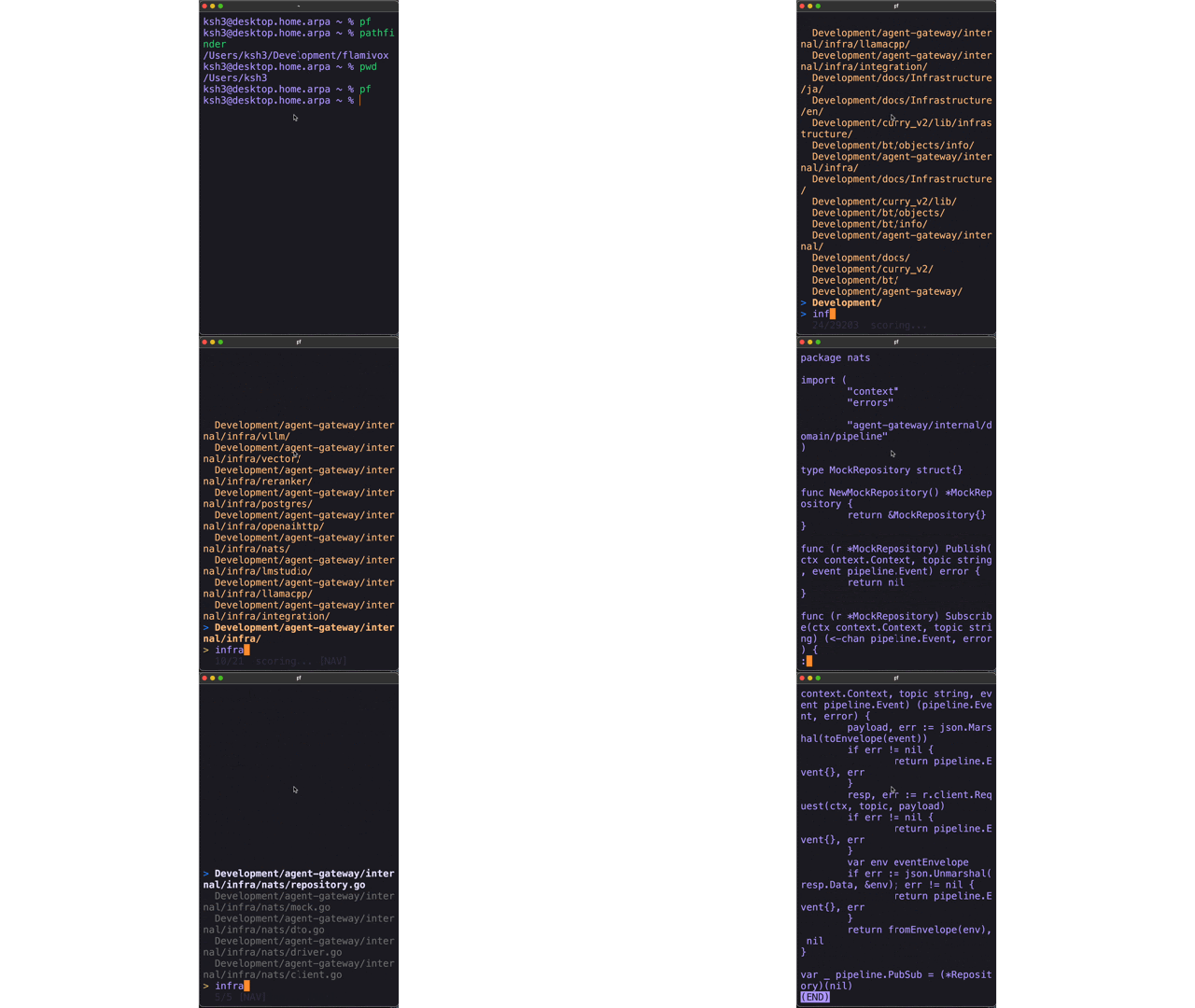
Expected Workflow
  1. pathfinder  → resolve LLM path typos (ENOENT → tool_retry_with_resolve)
2. ctree check → update snapshots, get hashes of changed symbols
3. get_baseline → get a shallow overview of the codebase
4. Identify symbols of interest → drill down with Serena's find_symbol
5. get_revs + get_text → get details of changed symbols
The tools supply information in stages: overview, target selection and definitions.
This aims to reduce context use for local LLMs with 8K–32K windows.
Caveats
- The AST parser supports the listed languages; it is not a general-purpose static analyzer.
get_baselineandget_revsformats are undisclosed parts of the in-house LLM pipeline.- ONNX / ColBERT inference was considered but omitted. strong/weak scopes manage the input range while preserving deterministic analysis.
- MCP protocol 2024-11-05 is supported for Claude Code, Zed Editor and other clients.